LISP Utilities
TAGtag.elfCreate Balloon (Part Number Balloon)
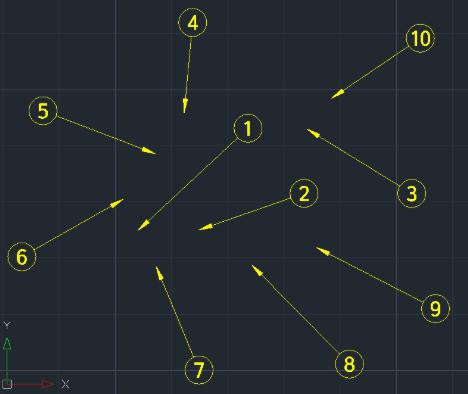
Generates part balloons sequentially. The tag size is determined by the DIMASZ variable.
Description
This tool automates the creation of sequential Part Number Balloons (Tags) for assembly drawings.
- Automated Workflow
- Replaces the manual process of drawing leaders, circles, and text individually.
- Auto-Increment
- Automatically increases the part number (1, 2, 3...) with each click.
- Auto-Layering
- Creates a dedicated DIM layer automatically and places all tags on it.
- Smart Sizing
- The size of the leader arrow is controlled by your system's DIMASZ (Dimension Arrow Size) variable.
How to use
- 1.Type TAG in the command line and press Enter.
- 2.Enter the desired Diameter for the balloon circle (in mm).
- 3.Enter the Start Number (e.g., 1).
- 4.Specify the Leader Start Point (Arrow tip location) and End Point (Balloon location).
- 5.Repeat this process to place subsequent tags (the number will increment automatically).
- 6.Press ESC to finish.
Note
- Note : If the arrowheads appear too small or too large, adjust the DIMASZ variable in your settings before running the command.
Example
Included free
All 401 LISP utilities come free with every Cadopilar license.
Purchase any Cadopilar license and our team will install the complete suite for you. No additional charge, no setup headaches.
Contact us to get started →