LISP Utilities
Q1q2, q3, q4, q11, q22, q33, q44q1.elfSmart Offset (Offset to Layer 0):
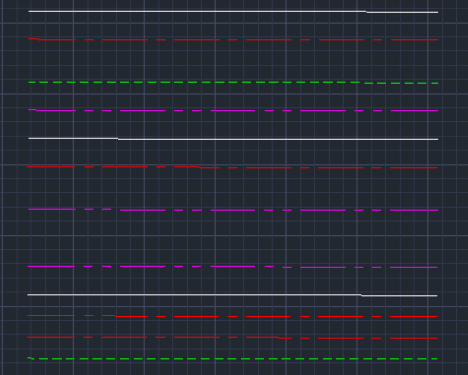
Assigns offset object to target layer. (Q1 Visible Line, Q2 Centerline, Q3 Hidden Line, Q4 Phantom Line)
Description
This "Smart Offset" tool streamlines drafting by automatically assigning the offset object to a specific target layer.
Half-Distance Mode (Q11~Q44) : Automatically divides your input value by 2. This is extremely useful for mechanical drafting (e.g., inputting a Diameter value to offset a Radius for a shaft).
- Auto-Layering
- Automatically places the new line on the correct layer (Visible, Center, Hidden, or Phantom). If the layer is missing, it creates it automatically.
- Continuous Mode
- The command repeats until you press ESC, allowing for rapid repetitive offsetting.
How to use
Standard Offset (Uses full distance value)
Half-Distance Offset (Input Diameter → Offsets Radius)
- 1.Type the command shortcut corresponding to your desired target layer:
- Q1
- Offset to Visible Line (Layer 0)
- Q2
- Offset to Center Line (CENTER)
- Q3
- Offset to Hidden Line (HIDDEN)
- Q4
- Offset to Phantom Line (PHANTOM)
- Q11
- Offset to Visible Line (Value / 2)
- Q22
- Offset to Center Line (Value / 2)
- Q33
- Offset to Hidden Line (Value / 2)
- Q44
- Offset to Phantom Line (Value / 2)
Example
Included free
All 401 LISP utilities come free with every Cadopilar license.
Purchase any Cadopilar license and our team will install the complete suite for you. No additional charge, no setup headaches.
Contact us to get started →