CADOPILAR
Faster Drafting. Sharper Designs. Superior Results.
Next-Generation CAD for Every Designer. Experience advanced 2D & 3D tools, full compatibility, effortless workflows, and affordable perpetual licensing.
Try Before You Decide
Experience the full power of CADOPILAR with our 30-day free trial.

Products Built for Every Need
Two powerful solutions designed for different workflows. Find the perfect fit for how you work.
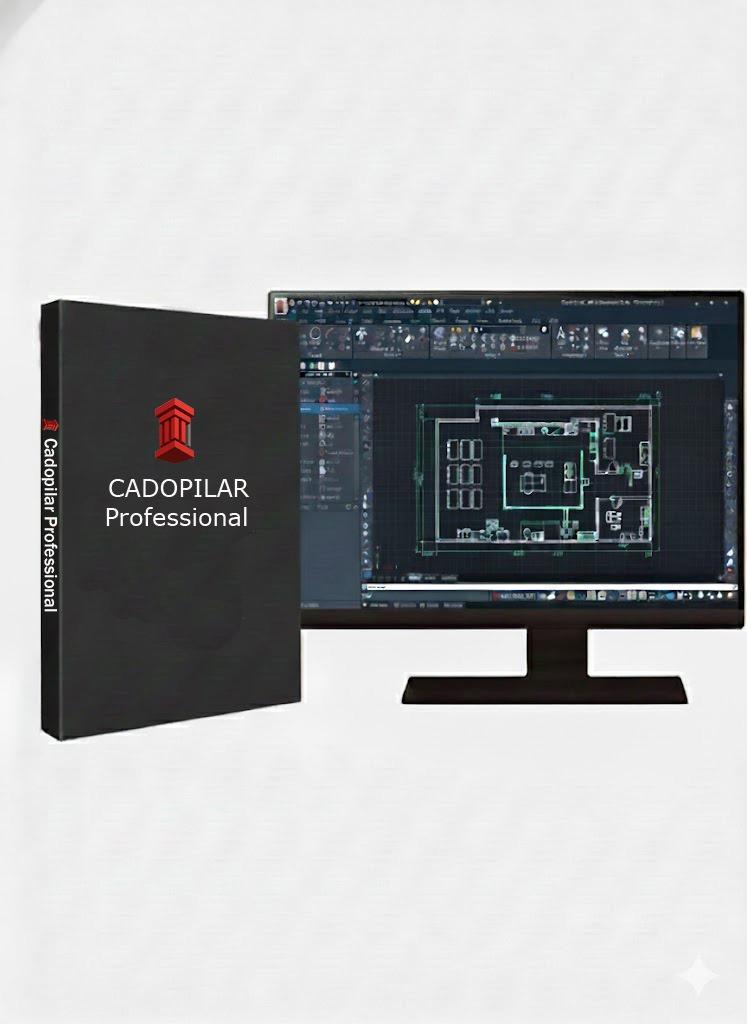
CADOPILAR Professional
The Complete CAD Powerhouse
Professional
The Complete CAD Powerhouse
Full 2D drafting, 3D modeling, LISP automation, and advanced industry tools. Everything you need in one perpetual license.
Key Capabilities
Why Cadopilar?
With features designed to make professionals more productive, Cadopilar brings the perfect balance of simplicity, power, and affordability.
Our Technology
Built using robust CAD technology that ensures professional-grade results every time.
Design with Real-World Accuracy
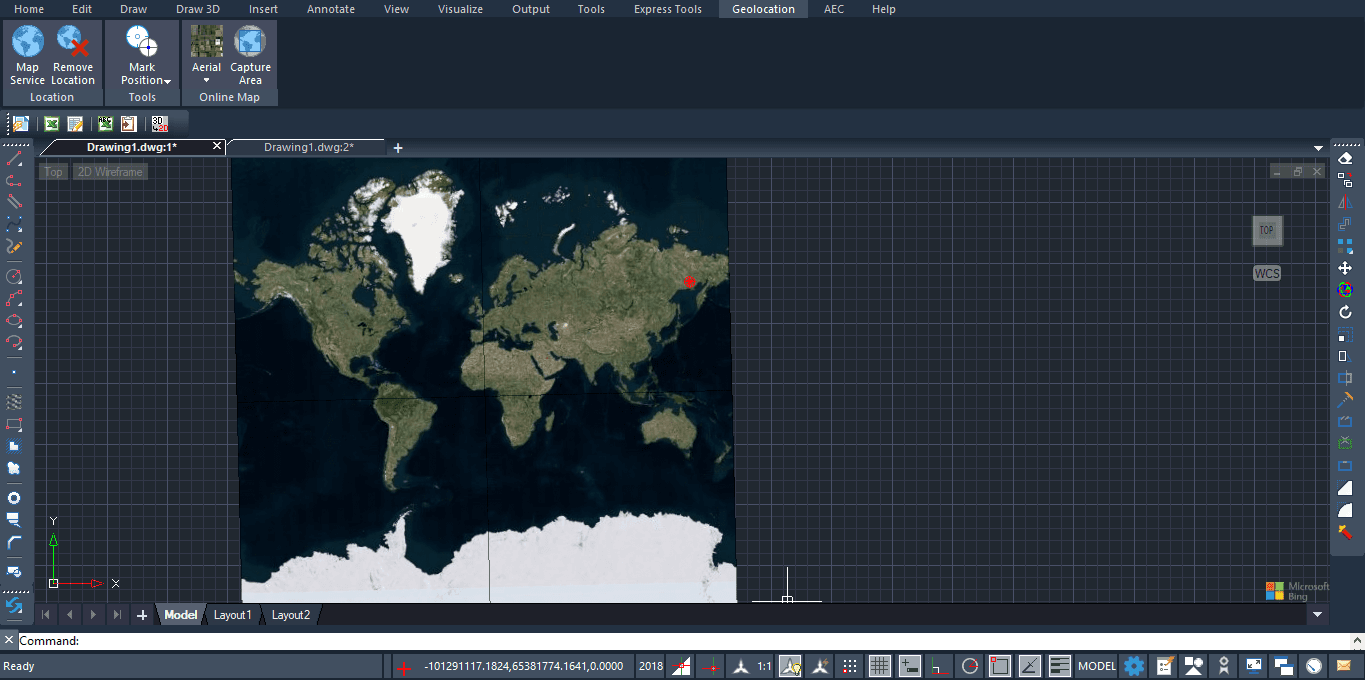
Add real-world intelligence to your CAD drawings with geolocation. Instantly load satellite imagery, assign global coordinates, and import KML/KMZ files from Google Earth or GIS platforms.
Built-in Geolocation Engine
Position your drawings in the real world by assigning accurate latitude, longitude, and elevation. Link your CAD drawing to its actual location on Earth for highly precise planning.
Accurate Site Positioning
Assign precise latitude, longitude, and elevation.
WGS84 / UTM Support
Aligns correctly with actual ground coordinates.
Real-World Mapping Inside CAD
Display high-resolution satellite imagery and street maps directly inside your CAD workspace. Automatically scale and orient maps to true north for perfect alignment.
Real-time Imagery
Stream high-quality map data instantly.
Auto-scaled Maps
No manual scaling required; true-to-life dimensions.
KML/KMZ & GIS Integration
Import .KML and .KMZ files from Google Earth, drones, or GIS layers. Objects appear exactly at their real-world positions, making it easy to merge field data with CAD designs.
Integration with Survey & GPS Data
Seamlessly integrate GPS coordinates from site surveys, drone mapping outputs, and total station control points. Ensure every element of the project is technically aligned.
Infrastructure & Land Development
Indispensable for road alignment, land parcel mapping, utility networks, and urban planning. Perfect for AEC, Civil, Surveying, and Utilities.
Environmental & Sun-Path Analysis
Automatically calculate sun direction, shadows, and solar exposure based on real-world location. Critical for architectural and environmental planning.
Ideal for AEC, Civil Engineering, Surveying, Utilities, GIS, and Urban Planning
Built for Architects & Drafters
Built-in AEC objects support smarter workflows with intelligent architectural elements that simplify creation, modification, and documentation. Empower your workflow with tools designed for precision, productivity, and connected BIM environments.

AEC Objects
Purpose-built architectural objects reduce reliance on basic geometry. Intelligent elements simplify creation, modification, and documentation—enabling faster and more efficient architectural drafting.
- Faster creation of plans, sections, and elevations from the same model
- Material-aware elements for clearer architectural representation
- Seamless conversion of geometry into walls and slabs
- Integrated workflow without external plugins
BIM File Compatibility
Work seamlessly across platforms with full support for IFC and RVT file formats. Exchange data effortlessly, collaborate with multidisciplinary teams, and maintain project integrity from concept to construction.
Smart Tools — Draft Faster
Productivity tools that understand your workflow. Annotate, offset, and mirror with intelligent assistance.
Smart Tolerance
Simplifies tolerance annotation by instantly applying standard formats—symmetric, deviation, and limit tolerances. Adjustable precision and text scaling maintain clarity and compliance with drafting standards.
Engineered for Professionals
Familiar, powerful, and built to last. The smart choice for modern CAD users.
Familiar Interface with Full DWG Compatibility
Intuitive CAD with global standard commands and shortcuts, full DWG compatibility, and smooth collaboration.
Instant team transition with seamless collaboration across any CAD software.
Geolocation & Map Integration
Includes a powerful Geographic Location Tool that allows to accurately position drawings anywhere in the world.
Pinpoint your drawings globally using coordinates or .kml/ .kmz files.
2D Drafting + 3D Modelling
From simple floor plans to complex engineering assemblies, Cadopilar supports powerful 2D and 3D tools.
Create precise 2D documentation and robust 3D models in one platform.
LISP, APIs & Utilities
Enhance productivity with automation tools, custom routines, add-ons, and third-party utilities.
Run your existing LISP routines and scripts. Customize Cadopilar to fit your workflow.
Perpetual License
Purchase once, use forever — no annual renewal fees. Own your software for a lifetime.
Eliminate recurring subscription costs with a permanent license.
Engineered for Your Industry
Industry-specific workflows, templates, and compliance tools tailored to your sector's unique requirements
Architecture
BIM coordination across disciplines with 2D/3D architectural and structural drafting.
Industry Challenges
- BIM coordination across disciplines
- Clash detection in drawings
- Accurate construction documentation
- Multi-team collaboration
Cadopilar Solutions
- 2D/3D architectural and structural drafting
- Real-time clash detection
- DWG/IFC compatibility
- Automated sheet creation & revision management
- Architects
- Structural Engineers
- BIM Coordinators
- Interior Designers
- Construction Drafters
Find Your Perfect Cadopilar
From essential 2D drafting to advanced 3D modeling, pick the edition that matches your workflow
Feature
Cadopilar Classic
Cadopilar Pro
Ready to Transform Your Design Process?
Start your free 30-day trial today.