Description
This tool automatically generates a table (grid) based on specific row and column inputs.
- Precise Control
- Defines the table structure by specifying the number of columns, rows, and the exact height of each row.
- Bottom-Up Generation
- Builds the table starting from the bottom-left corner.
How to use
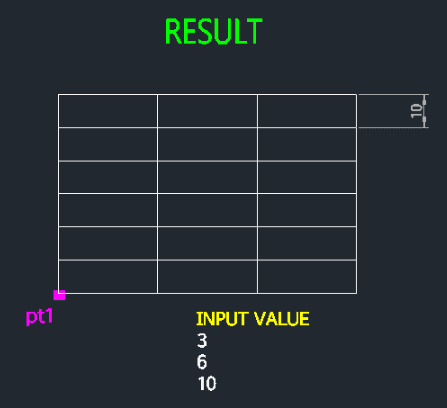
The table is generated immediately based on your inputs.
- 1.Type TABLE2 in the command line and press Enter.
- 2.Specify the Start Point (Bottom-Left corner of the table).
- 3.Enter the number of Columns (Horizontal count).
- 4.Enter the number of Rows (Vertical count).
- 5.Enter the Row Height (Height of a single cell).
Example
Included free
All 401 LISP utilities come free with every Cadopilar license.
Purchase any Cadopilar license and our team will install the complete suite for you. No additional charge, no setup headaches.
Contact us to get started →