LISP Utilities
SPTSPT.ELFExtract Spline Vertex Coordinates & Draw Circles
Plots circles at spline vertices.
Description
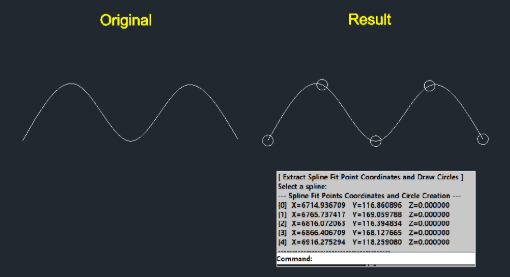
This tool extracts the vertex coordinates (fit points) of a selected spline and automatically draws a circle at each vertex.
- Coordinate Extraction
- The X, Y, and Z coordinates for each fit point are displayed in the command history.
- Visual Markers
- Small circles are drawn at every vertex to visually identify the fit points on the drawing.
How to use
Circles will be drawn at each vertex, and the coordinate list will be printed in the command window.
- 1.Type spt in the command line and press Enter.
- 2.Select the Spline Object you want to analyze.
- Tip
- Press F2 to open the text window and check the coordinate data.
Example
Included free
All 401 LISP utilities come free with every Cadopilar license.
Purchase any Cadopilar license and our team will install the complete suite for you. No additional charge, no setup headaches.
Contact us to get started →