Description
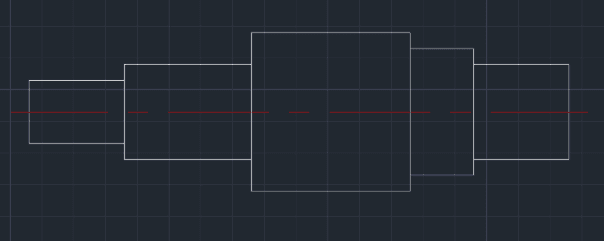
This tool allows you to interactively draw mechanical Shafts with ease.
- Interactive Design
- Simply input the diameter and length for each segment section by section.
- Auto-Centerline
- Automatically generates the central axis line across the entire shaft upon completion.
- Smart Sizing
- The centerline length automatically adjusts to fit the total shaft size.
- Auto-Layering
- Automatically creates and utilizes the CENTER layer.
How to use
To finish, enter 0 when asked for the Diameter. The tool will draw the final centerline and exit.
- 1.Type SHAFT in the command line and press Enter.
- 2.Specify the Start Point (Center of the left end).
- 3.Enter the Diameter of the first segment.
- 4.Enter the Length of the first segment.
- 5.Repeat steps 3 and 4 for subsequent segments.
Example
Included free
All 401 LISP utilities come free with every Cadopilar license.
Purchase any Cadopilar license and our team will install the complete suite for you. No additional charge, no setup headaches.
Contact us to get started →