Description
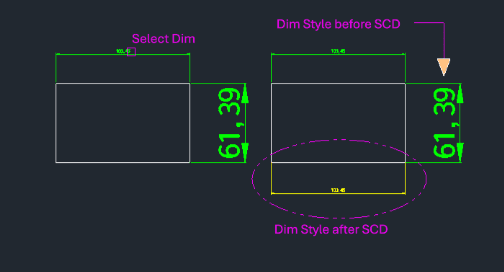
This tool allows you to quickly change the current dimension style settings by simply selecting an existing dimension on the drawing.
- Match Properties-like
- Instead of manually opening the dimension style manager and searching for a specific style name, you can "pick up" the style from an existing dimension.
- Streamlined Workflow
- After picking the source dimension, any subsequent dimension commands (like DLI) will use that style.
- Input
- Requires selecting a source dimension object.
How to use
The system's current dimension style is updated to match the selected dimension.
Proceed with dimensioning commands (e.g., DLI).
- 1.Type scd in the command line and press Enter.
- 2.Click on an Existing Dimension whose style you want to use.
Example
Included free
All 401 LISP utilities come free with every Cadopilar license.
Purchase any Cadopilar license and our team will install the complete suite for you. No additional charge, no setup headaches.
Contact us to get started →