Description
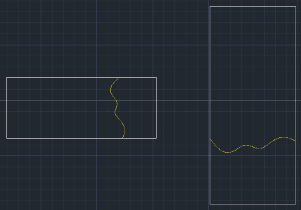
This tool simplifies the process of drawing Break Lines (Splines) commonly used in partial sections or detail views on a drawing.
- Auto-Spline
- Generates a natural-looking spline curve to represent the break line between two selected points.
- Smart Snap
- Automatically enables the Nearest Osnap to help you connect the line to existing geometry, and temporarily toggles Ortho mode as needed during the operation.
How to use
A spline curve (break line) is automatically drawn between the two points.
- 1.Type PADAN in the command line and press Enter.
- 2.Select the First Point (start of the break line).
- 3.Select the Second Point (end of the break line).
Example
Included free
All 401 LISP utilities come free with every Cadopilar license.
Purchase any Cadopilar license and our team will install the complete suite for you. No additional charge, no setup headaches.
Contact us to get started →