Description
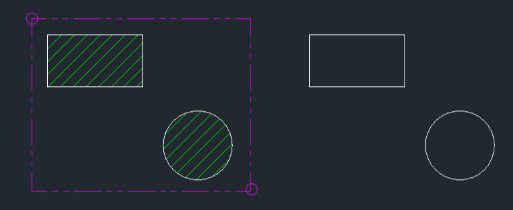
This tool is designed to selectively delete only the hatch objects located within a specified rectangular area.
- Efficiency
- Instead of manually selecting individual hatches or filtering them out, this command allows you to define a window where only the hatches will be removed, leaving other objects intact.
- Compatibility
- This is a dedicated Cadopilar Lisp tool and works only within Cadopilar.
How to use
All hatch objects completely contained within the selected area are automatically deleted.
- 1.Type erh in the command line and press Enter.
- 2.Click the First Corner of the selection area.
- 3.Click the Second Corner (Diagonal) to define the rectangular window.
Example
Included free
All 401 LISP utilities come free with every Cadopilar license.
Purchase any Cadopilar license and our team will install the complete suite for you. No additional charge, no setup headaches.
Contact us to get started →