Description
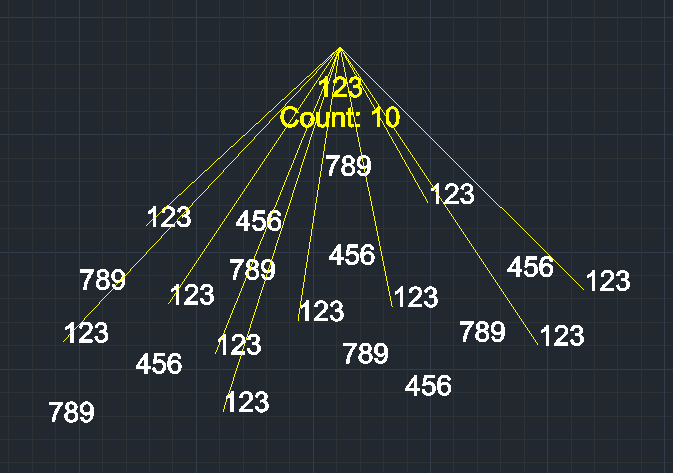
This tool finds all text objects identical to a selected source text within a specified area and visually connects them with lines.
- Visual Identification
- It helps locating all instances of a specific text string by drawing lines from a central point to each found text.
- Customization
- You can define the search area and choose the color of the connecting lines.
- Compatibility
- This is a dedicated Cadopilar Lisp tool and works only within Cadopilar.
How to use
Lines are drawn connecting the center point to every instance of the matching text found within the selected area.
- 1.Type ftl in the command line and press Enter.
- 2.Select the Source Text object you want to find.
- 3.Click Two Points to define the rectangular search area.
- 4.Click a Center Point (usually near the source text or in the center of the area) from where the lines will originate.
- 5.Enter a Color Number for the lines (e.g., 1 for Red, 2 for Yellow).
Example
Included free
All 401 LISP utilities come free with every Cadopilar license.
Purchase any Cadopilar license and our team will install the complete suite for you. No additional charge, no setup headaches.
Contact us to get started →