Description
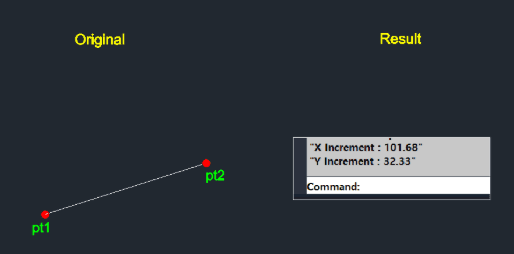
This tool calculates and displays the coordinate differences (increments) along the X and Y axes between two selected points.
- Output
- Displays the delta X and delta Y values (as positive or negative numbers) directly in the command line.
- Utility
- Useful for quickly checking offsets or relative distances without placing physical dimension objects.
How to use
The X and Y increment values are displayed in the command line history.
- 1.Type dist2 in the command line and press Enter.
- 2.Click the First Point (PT1).
- 3.Click the Second Point (PT2).
Example
Included free
All 401 LISP utilities come free with every Cadopilar license.
Purchase any Cadopilar license and our team will install the complete suite for you. No additional charge, no setup headaches.
Contact us to get started →