LISP Utilities
AMCOPYAMCOPY.elfCopy to All Intersections
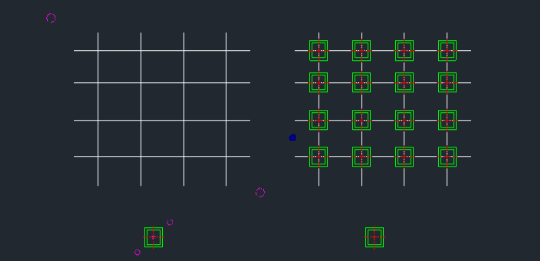
Copies selected objects to all intersection points.
Description
This tool copies selected objects to multiple intersection points of selected target lines in a single operation.
- Method
- Replicates source objects and places them at every intersection found within the target selection.
- Selection
- Requires selecting source objects first, then a base point, and finally the target lines where the intersections exist.
How to use
- 1.Type amcopy in the command line and press Enter.
- 2.Select the Source Objects (to be copied) using a window and press Enter.
- 3.Click a Base Point for the copy and press Enter.
- 4.Select the Target Lines (that form intersections) using a window selection.
- 5.Press Enter to complete the copy operation.
Example
Included free
All 401 LISP utilities come free with every Cadopilar license.
Purchase any Cadopilar license and our team will install the complete suite for you. No additional charge, no setup headaches.
Contact us to get started →