Description
This tool allows you to sequentially edit multiple text objects (TEXT, MTEXT) in a batch.
- Batch Selection
- Select multiple text objects at once using a window selection. It filters out non-text objects automatically.
- Sequential Editing
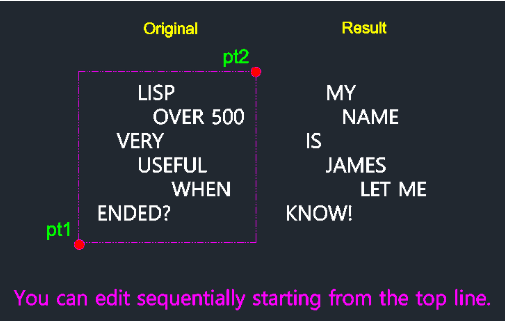
- Upon selection, the tool cycles through the text objects starting from the top-most one, allowing you to edit the content of each one by one without re-invoking the command.
How to use
The edit dialog for the top-most text object appears. Modify the text and press Enter.
The tool automatically moves to the next text object. Repeat until all selected texts are edited.
- 1.Type tse in the command line and press Enter.
- 2.Click the First Corner (PT1) of your selection window.
- 3.Click the Second Corner (PT2) to select the text objects.
- 4.Press Enter.
Example
Included free
All 401 LISP utilities come free with every Cadopilar license.
Purchase any Cadopilar license and our team will install the complete suite for you. No additional charge, no setup headaches.
Contact us to get started →