Description
This tool improves the TRIM command by automatically erasing objects that cannot be trimmed normally (e.g., lines that do not intersect a cutting edge).
- Smart Trim/Erase
- Functions like the standard TRIM command but automatically switches to ERASE for objects that are isolated or fail to trim.
- Single Click Action
- Simply click on the object segment you want to remove; the tool decides whether to trim or erase it.
How to use
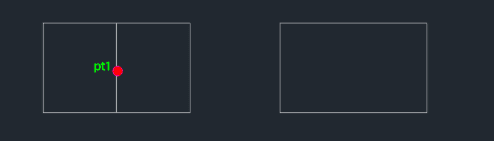
If it intersects another object, it will be trimmed.
If it does not intersect, it will be erased.
Continue clicking objects to remove them.
- 1.Type tr5 in the command line and press Enter.
- 2.Click on the line or object segment you wish to remove.
- 3.Press Esc to finish.
Example
Included free
All 401 LISP utilities come free with every Cadopilar license.
Purchase any Cadopilar license and our team will install the complete suite for you. No additional charge, no setup headaches.
Contact us to get started →