Description
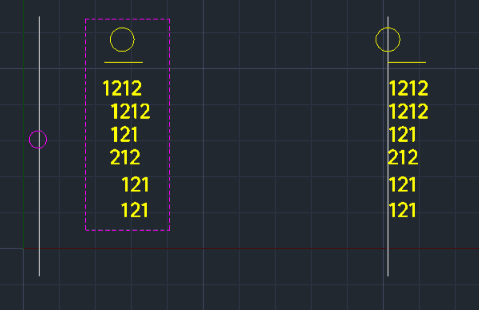
This tool aligns the left edge of multiple text strings to a specified vertical reference line.
- Function
- It allows users to quickly organize multiple text objects by aligning them all to a single line on the left.
- Compatibility
- This is a dedicated Cadopilar Lisp tool and works only within Cadopilar.
- Limitations
- If the reference line is a Polyline, it must be exploded first; otherwise, a warning may appear requiring a restart of the command.
How to use
- 1.Type tla in the command line and press Enter.
- 2.Select the Left Reference Line (the line to align to).
- 3.Select the Text Objects (on the right) that need to be aligned.
- 4.Press Enter to complete the alignment.
Example
Included free
All 401 LISP utilities come free with every Cadopilar license.
Purchase any Cadopilar license and our team will install the complete suite for you. No additional charge, no setup headaches.
Contact us to get started →