Description
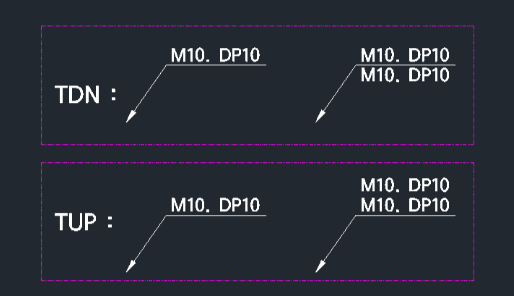
This tool allows you to quickly copy text objects vertically (up or down) at a set interval.
- Efficiency
- It eliminates the need to manually measure spacing or use the standard copy command for simple vertical lists.
- Customization
- The default spacing is 1.6 times the text height, but this can be adjusted.
- Compatibility
- This is a dedicated Cadopilar Lisp tool and works only within Cadopilar.
How to use
Adjust Spacing (Optional):
The text is immediately copied above or below the original at the specified interval.
- 1.Type tdn (copy down) or tup (copy up) in the command line and press Enter.
- 2.Type xx and press Enter.
- 3.Enter a new spacing multiplier (e.g., 3 for 3 times the text height).
- 4.Select the Text Object you want to copy.
Example
Included free
All 401 LISP utilities come free with every Cadopilar license.
Purchase any Cadopilar license and our team will install the complete suite for you. No additional charge, no setup headaches.
Contact us to get started →