Description
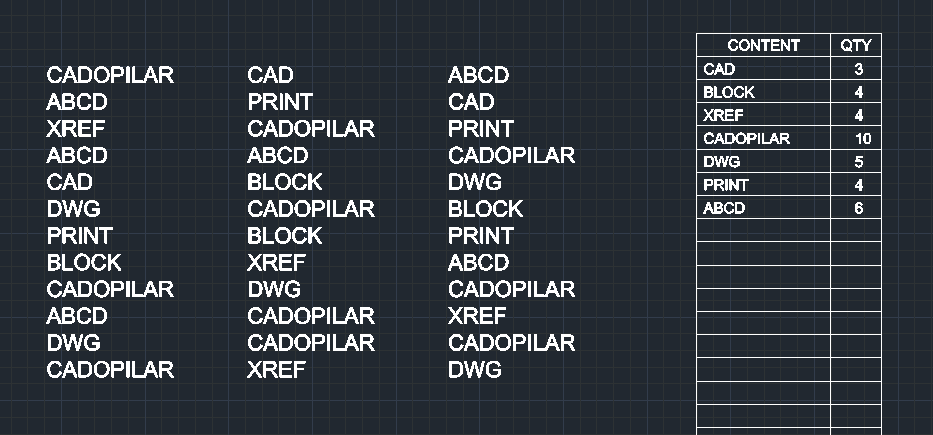
This tool automatically counts text objects (such as model names or product names) and generates a Bill of Materials (BOM) table.
- Functionality
- It analyzes the selected text, counts the occurrences of each unique string, and draws a table (up to 31 rows) listing the content and quantity.
- Customization
- You can define the width of the "Content" column to ensure the text fits neatly within the table.
How to use
- 1.Type tbom in the command line and press Enter.
- 2.Select the Text Objects (you can window select a mix of objects; the tool filters for text).
- 3.Click the Start Point (Top-Left corner) where the table should be drawn.
- 4.Enter the Width (in mm) for the content column of the table.
Example
Included free
All 401 LISP utilities come free with every Cadopilar license.
Purchase any Cadopilar license and our team will install the complete suite for you. No additional charge, no setup headaches.
Contact us to get started →