Description
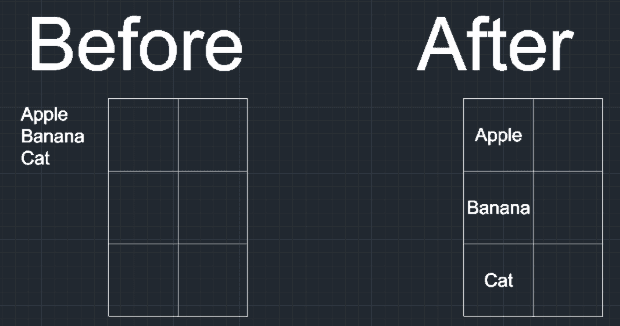
This tool automatically moves and aligns existing text (DTEXT) to the exact center of a specified rectangular area (e.g., a cell in a table).
- Perfect Centering
- Aligns text to the "Middle-Center" of the defined box.
- Table Correction
- Ideal for fixing text that was loosely placed in table cells, snapping it perfectly into position.
How to use
The text immediately moves to the center of that rectangular area.
- 1.Type TAL in the command line and press Enter.
- 2.Select the Text object you want to move.
- 3.Click the Bottom-Left corner of the target cell (rectangular area).
- 4.Click the Top-Right corner of the target cell.
Example
Included free
All 401 LISP utilities come free with every Cadopilar license.
Purchase any Cadopilar license and our team will install the complete suite for you. No additional charge, no setup headaches.
Contact us to get started →