Description
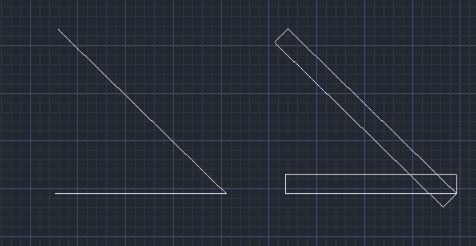
This tool performs an Offset operation and automatically closes the ends of the offset lines.
- Unique Functionality
- Designed to handle cases where you need to offset an object and immediately seal the side gaps (creating a closed shape).
How to use
The object is offset, and the ends are automatically connected to the original object.
- 1.Type of2 in the command line and press Enter.
- 2.Enter the desired Offset Distance and press Enter.
- 3.Select the Object to offset.
- 4.Click a point to define the Direction of the offset.
Example
Included free
All 401 LISP utilities come free with every Cadopilar license.
Purchase any Cadopilar license and our team will install the complete suite for you. No additional charge, no setup headaches.
Contact us to get started →