Description
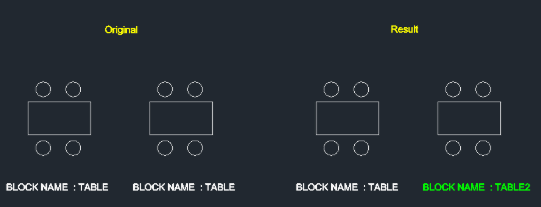
This tool allows you to rename an existing block that has already been inserted into the drawing.
- Function
- Changes the internal name definition of a selected block instance.
- Benefit
- Useful for organizing block definitions without needing to explode and redefine.
How to use
- 1.Type nbk in the command line and press Enter.
- 2.Select the Block you want to rename.
- 3.Enter the New Name for the block.
Example
Included free
All 401 LISP utilities come free with every Cadopilar license.
Purchase any Cadopilar license and our team will install the complete suite for you. No additional charge, no setup headaches.
Contact us to get started →