Description
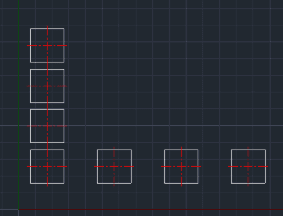
This tool allows for multiple copying of objects at a set interval.
- Function
- After selecting an object and defining an interval and direction, you can continuously create copies by simply pressing Enter.
- Workflow
- It streamlines repetitive copying tasks (like arraying objects manually) by keeping the copy command active and incrementing the position based on the initial input.
- Compatibility
- This is a dedicated Cadopilar Lisp tool and works only within Cadopilar.
How to use
To Exit, press any key other than Enter (e.g., Spacebar or Esc).
- 1.Type MCOPY in the command line and press Enter.
- 2.Select the Object(s) to copy and press Enter.
- 3.Enter the Copy Interval (Distance) value.
- 4.Click a Base Point.
- 5.Click a point to define the Direction.
- 6.Press Enter to create the first copy.
- 7.Press Enter again to create the next copy at the same interval.
- 8.Repeat Enter for infinite copies.
Example
Included free
All 401 LISP utilities come free with every Cadopilar license.
Purchase any Cadopilar license and our team will install the complete suite for you. No additional charge, no setup headaches.
Contact us to get started →