Description
This tool allows you to move a single object with a single click selection process.
- Context
- It is similar to the previously released cp2 (one-click copy) tool, but designed for moving objects instead.
- Function
- Unlike the standard Move command which requires Select Object > Enter > Base Point > Target Point, this tool streamlines the process to Select Object (implicitly Base Point) > Target Point.
- Dynamic Input Support
- It supports dynamic input (F12), allowing you to move objects by a specific distance in a specific direction.
- Compatibility
- This is a dedicated Cadopilar Lisp tool and works only within Cadopilar.
How to use
Method A (Direct Move):
Method B (Distance Move with F12):
Ensure Dynamic Input (F12) is turned on.
Move the mouse to define the Direction.
- 1.Type m2 in the command line and press Enter.
- 2.Click on the Object you want to move (this click also acts as the base point).
- 3.Click the Target Point where you want to place it.
- 4.Click on the Object you want to move.
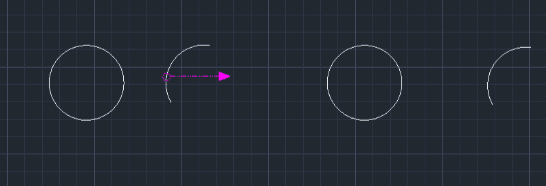
- 5.Type the Distance Value and press Enter. The object moves that distance in the chosen direction.
Example
Included free
All 401 LISP utilities come free with every Cadopilar license.
Purchase any Cadopilar license and our team will install the complete suite for you. No additional charge, no setup headaches.
Contact us to get started →