LISP Utilities
HCPHCP.elfClone Hatch to Area
Applies a selected hatch pattern's properties to a new area (clone).
Description
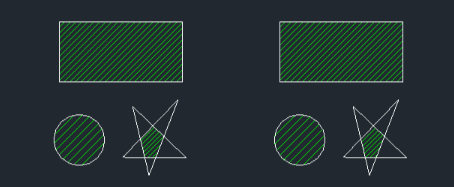
This tool allows you to copy the settings of an existing hatch pattern and immediately apply them to a new area.
- Match Properties
- It functions similarly to a "match properties" tool specifically designed for applying hatches, as it reads the pattern, scale, and angle from a source hatch.
- Compatibility
- This is a dedicated Cadopilar Lisp tool and works only within Cadopilar.
How to use
The new area is hatched using the exact same pattern and settings as the source.
- 1.Type hcp in the command line and press Enter.
- 2.Click on the Source Hatch Pattern whose settings you want to copy.
- 3.Click inside the Internal Point of the new area you want to hatch.
Example
Included free
All 401 LISP utilities come free with every Cadopilar license.
Purchase any Cadopilar license and our team will install the complete suite for you. No additional charge, no setup headaches.
Contact us to get started →