Description
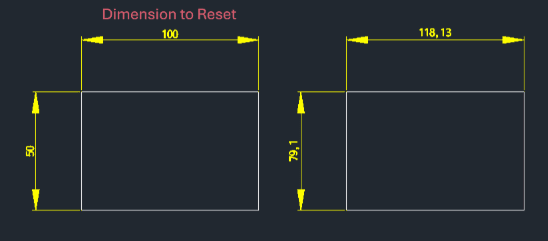
This tool restores a dimension's text value to its original measured value, removing any manual overrides or edits.
- Utility
- Useful for quickly resetting dimensions that have been manually modified with text like <>.
- Automation
- Instantly reverts selected dimension objects to their true geometry-based value.
How to use
The dimension text automatically reverts to the original calculated value.
- 1.Type dimo in the command line and press Enter.
- 2.Select the Dimension object you want to reset.
Example
Included free
All 401 LISP utilities come free with every Cadopilar license.
Purchase any Cadopilar license and our team will install the complete suite for you. No additional charge, no setup headaches.
Contact us to get started →