Description
This Lisp provides alternative commands for "Copy" (Ctrl+C) and "Paste" (Ctrl+V).
This tool allows you to quickly erase all objects on a specific layer across the entire drawing.
- Reliability
- Designed for users experiencing issues with the standard Windows clipboard functions (Ctrl+C/V) in Cadopilar.
- Custom Shortcuts
- Can be mapped to Ctrl+C and Ctrl+V using the CUI (Customize User Interface) menu to replace the default commands completely.
- Global Deletion
- Selecting a single object will delete all objects that reside on the same layer as the selected object, regardless of where they are in the drawing.
- Caution
- This command affects the entire drawing, so use it carefully to avoid accidental data loss.
How to use
To Copy:
Pick a Base Point.
To Paste:
376. Delete Objects on Selected Layer
All objects on that object's layer are immediately erased from the drawing.
- 1.Type cx in the command line and press Enter.
- 2.Select the objects to copy.
- 3.Type cv in the command line and press Enter.
- 4.Click the insertion point to paste the copied objects.
- 5.Type dlay in the command line and press Enter.
- 6.Click on an object whose layer you want to clear.
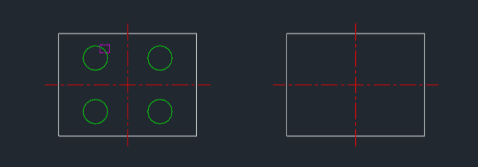
Example
Included free
All 401 LISP utilities come free with every Cadopilar license.
Purchase any Cadopilar license and our team will install the complete suite for you. No additional charge, no setup headaches.
Contact us to get started →