Description
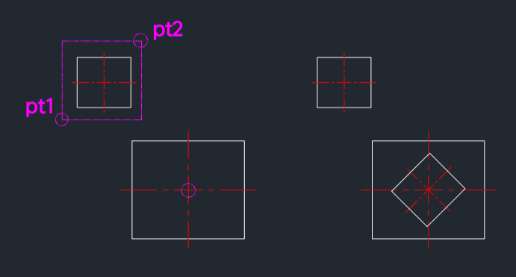
This tool performs a copy and rotate operation in a single step, allowing you to place a rotated duplicate of an object immediately.
- Continuous Action
- After the first copy and rotation, you can continue to place multiple copies with the same rotation angle simply by clicking new points.
- Compatibility
- This is a dedicated Cadopilar Lisp tool and works only within Cadopilar.
How to use
The object is copied and rotated. You can continue clicking points to place more copies, or press Esc to exit.
- 1.Type cr in the command line and press Enter.
- 2.Select the Object(s) you wish to copy and press Enter.
- 3.Click the Base Point.
- 4.Click the Target Point (Destination).
- 5.Enter the Rotation Angle.
Example
Included free
All 401 LISP utilities come free with every Cadopilar license.
Purchase any Cadopilar license and our team will install the complete suite for you. No additional charge, no setup headaches.
Contact us to get started →