LISP Utilities
BAROBbarob.elfQuick Block (Timestamp)
Converts selection to a block named with the current timestamp.
Description
This tool instantly creates a Block from selected objects, automatically naming it with the current date and time.
- Smart Naming
- Instead of generic or confusing names (like standard "Quick Block" features might assign), this tool names the block in the format BL + Current Date/Time.
- Speed
- Streamlines the block creation process by removing the need to manually type a name.
How to use
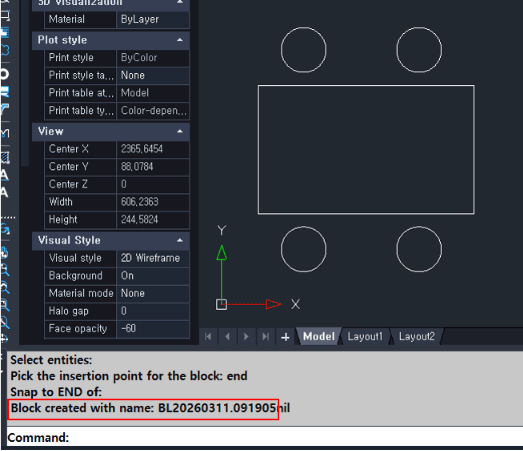
The objects are converted into a block named BL followed by the timestamp (e.g., BL20240828...).
- 1.Type BAROB in the command line and press Enter.
- 2.Select the Objects you want to convert into a block and press Enter.
- 3.Specify the Insertion Base Point for the block.
Example
Included free
All 401 LISP utilities come free with every Cadopilar license.
Purchase any Cadopilar license and our team will install the complete suite for you. No additional charge, no setup headaches.
Contact us to get started →