LISP Utilities
AREPPAREPP.ELFCalculate & Area by Picking Points
Generates area annotations via boundary detection.
Description
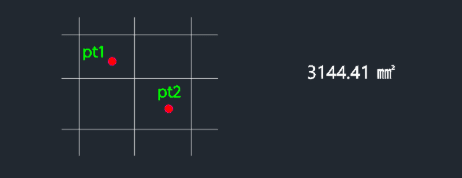
This tool calculates the area of a shape defined by manually picking points and inserts the result as a text label.
- Customizable Output
- Allows selection of units ($mm^2$ or $m^2$), decimal precision, and text height.
- Point-Based
- Useful for defining irregular areas by clicking successive boundary points.
How to use
Pick the Points to define the area boundary (press Enter to finish).
- 1.Type arepp in the command line and press Enter.
- 2.Enter 1 for $mm^2$ or 2 for $m^2$.
- 3.Enter the number of Decimal Places.
- 4.Click the Insertion Point for the text.
- 5.Enter the Text Height.
Example
Included free
All 401 LISP utilities come free with every Cadopilar license.
Purchase any Cadopilar license and our team will install the complete suite for you. No additional charge, no setup headaches.
Contact us to get started →