Description
This tool writes multiple lines of text while allowing the user to explicitly specify the spacing interval between rows.
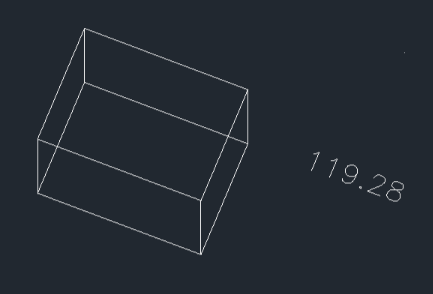
This tool extracts the Z-axis coordinate (elevation) of a selected 3D point and writes it as text on the drawing.
- Input
- Requires text height, line spacing (gap), and the text content itself.
- Flexibility
- Allows defining text height either by value or by clicking points on the screen.
- Utility
- Provides a quick method for verifying or annotating elevation values on 3D objects or civil plans.
- Flexibility
- Allows the user to define the decimal precision and text height on the fly.
How to use
Continue typing subsequent lines.
256. Label Elevation (Z-Value)
Use OSNAP to click the 3D Point you want to measure.
- 1.Type htext in the command line and press Enter.
- 2.Click the Start Point for the text.
- 3.Enter the Text Height (or click a point to define it).
- 4.Enter the Line Spacing (vertical gap between rows).
- 5.Type the desired text for the first line and press Enter.
- 6.Press Esc to finish and exit the command.
- 7.Type zp in the command line and press Enter.
- 8.Click a Start Point for the text leader/location.
- 9.Enter the number of Decimal Places.
- 10.Click the Text Position where the value will be written.
- 11.Enter the Text Height.
Example
Included free
All 401 LISP utilities come free with every Cadopilar license.
Purchase any Cadopilar license and our team will install the complete suite for you. No additional charge, no setup headaches.
Contact us to get started →