Description
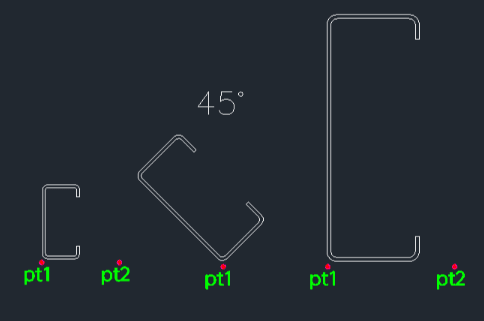
This tool automatically draws C-channel steel profiles based on standard specifications selected by the user.
- Selection
- Displays a list of supported specifications (with index numbers) for the user to choose from.
- Input
- Requires the specification number, an insertion point (bottom-left corner), and a rotation angle.
How to use
Review the Specification List that appears in the window/dialog.
Remember the Index Number of the desired profile and close the window (click OK).
The C-channel profile is drawn automatically.
- 1.Type csteel in the command line and press Enter.
- 2.Enter the Index Number in the command line.
- 3.Click the Insertion Point (Bottom-Left corner).
- 4.Enter the Rotation Angle (or click a point to define the angle).
Example
Included free
All 401 LISP utilities come free with every Cadopilar license.
Purchase any Cadopilar license and our team will install the complete suite for you. No additional charge, no setup headaches.
Contact us to get started →