Description
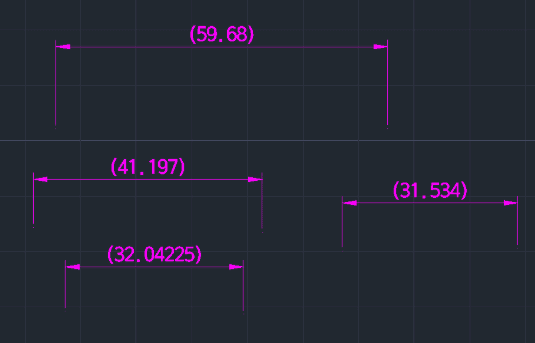
This tool automatically adds parentheses ( ) around the value of an existing dimension.
- Replacement Note
- This is a replacement for the original 105th Lisp tool (which was a duplicate).
- Function
- It modifies selected dimension text to be enclosed in brackets, which is often used to denote reference dimensions.
How to use
The dimension value is automatically updated to be enclosed in parentheses.
- 1.Type addgh in the command line and press Enter.
- 2.Enter the decimal precision for the current dimension value.
- 3.Select the Dimension object you wish to modify.
Example
Included free
All 401 LISP utilities come free with every Cadopilar license.
Purchase any Cadopilar license and our team will install the complete suite for you. No additional charge, no setup headaches.
Contact us to get started →